View user manual or download Timex Metropolitan S PDF user manual. Guide how to charging, setup, syncing and bluetooth, settings, basic operation and functions, and watch settings
Table of Contents
- Welcome 4
- TIMEX® Metropolitan S Features 4
- Product Overview 4
- Charging 4
- Turning the Watch ON and OFF 4
- Important information about your watch 5
- Water Resistance 5
- Wearing 5
- GPS 5
- Activity and Sleep Tracking 5
- Watch Updates 5
- Setup, Syncing and Bluetooth 6
- Pairing your watch with your phone 6
- Settings 7
- Watch 7
- Shortcut menu (swipe down from watch face) 7
- Settings menu 7
- Mobile App 7
- Dashboard 7
- Watch Settings (click on watch name) 7
- Profile – Edit (Icon at top right corner of app) 8
- Profile – My Devices 8
- Profile – Settings 8
- Profile – Features 8
- About – Information and account log out 8
- Watch 7
- Basic Operations and Function Navigation 9
- Basic Operations 9
- Button: 9
- Navigation via the touchscreen 9
- Control Shortcut Menu 10
- Flashlight 10
- Brightness adjustment 11
- DND (Do Not Disturb) mode 11
- Screen Lock 11
- Changing the Watch Face 11
- Activity Status 12
- Heart Rate 12
- Resting Heart Rate 13
- Basic Operations 9
- Main Menu 13
- Activity Status 13
- Heart Rate 13
- Workout 13
- Activities Review 14
- Weather 14
- Music 15
- Notifications 15
- Alarm 15
- More 16
- Compass / Air Pressure / Altitude 16
- Timer 17
- Countdown Timer 17
- Find Mobile (Phone Finder) 18
- Watch Settings 18
- Watch Face 18
- Screen Auto Off 19
- Press and Hold 19
- Always on display 19
- System 19
- Workouts 20
- Outdoor Workout modes 20
- Workout Settings 20
- Workout Goals 21
- Workout Reminders (Alerts) 21
- Auto Pause 21
- Real-time Graph 21
- During Your Workout 21
- Pausing or Stopping Your Workout 22
- Workout Summary 22
- Distance Calibraton for Treadmill workouts 22
- Timex Smart App 23
- Today (Dashboard) 23
- Pull to Sync 23
- Activity Tracking 23
- Your Watch 24
- Last Workout 24
- Last Night’s Sleep 24
- Heart Rate 25
- Streaks 25
- Reorder 25
- Workouts 26
- Records 26
- Recording workouts with the app 27
- Workout Details 27
- Community 28
- Profile 28
- Adding additional Timex Smart devices 29
- Switching between Timex Smart devices 30
- Device Settings 30
Download Timex Metropolitan S Smart User Manual
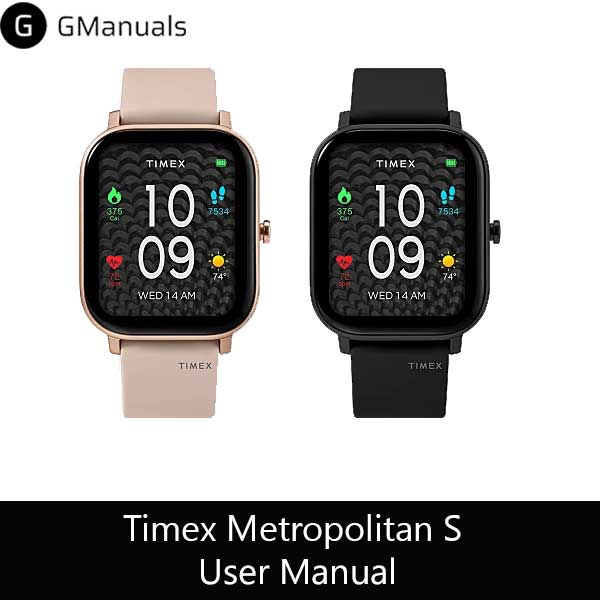
| Brand | Timex |
| Model | Metropolitan S |
| Category |
Watches |
| File Size | 1.45 Mb |
| Pages | 32 pages |
| Language | English |
| 510 views | |
Welcome
Congratulations on the purchase of your TIMEX® Metropolitan S Watch. This User Guide will explain the features and functions of your TIMEX® Metropolitan S Watch and the accompanying TIMEX® Smart mobile app for iOS or Android.
TIMEX® Metropolitan S Features
- • Long battery life
- • Compatible with iOS and Android smartphones
- • GPS for accurate outdoor distance, pace and speed
- • Barometer for accurate elevation measurement
- • Highly accurate optical heart rate sensor
- • Daily activity tracking of steps, distance, calories & sleep
- • Supports multiple types of notifications (calls, text messages, inactivity, etc.)
- • Workout modes provide time, distance, heart rate, pace, speed, calories and time of day
- • Timing features: Alarms, Stopwatch & Timer
- • Music control of connected phone
- • Many watch faces to choose from
What's upp to every body, it's mmy first pay a quick visit of this webpage; this blog carries awesome and iin facht excellent data for visitors.