The Ninja Air Fryer AF101 is one of the most popular compact air fryers in the U.S. But like any appliance, it can act up—power won’t turn on, buttons become unresponsive, or the fan won’t start. This guide helps you reset it and solve the most common problems step-by-step.
When Should You Reset Your Ninja Air Fryer?
Resetting is helpful if your air fryer:
- Won’t power on even when plugged in
- Is stuck on a cooking cycle
- Has flashing lights or error indicators
- Displays unusual smells or smoke
Why Reset Your Ninja AF101?
If your air fryer starts acting strangely—stuck buttons, blinking lights, or power issues—a reset might bring it back to normal. Resetting won’t erase saved settings or cooking memory, but it can refresh the internal system.

How to Soft Reset Ninja AF101
This simple reset clears minor glitches without losing settings.
- Unplug the air fryer from the wall outlet
- Leave it unplugged for at least 5 minutes
- Plug it back in and press the Power button
- If unresponsive, move to a different wall outlet
How to Hard Reset (If It Still Doesn’t Work)
- Unplug the unit
- Hold down both the Power and Temp buttons together for 10 seconds
- While holding the buttons, plug the unit back in
- Release the buttons once you hear a beep or the lights flash
Note: Not officially listed in the manual, but many users report success with this combination.
Troubleshooting: Ninja AF101 Won’t Turn On
- Try a direct wall socket (avoid power strips or surge protectors)
- Ensure the basket is inserted properly (safety lock won't allow startup if not closed right)
- Inspect power cable for wear or burns
How to Fix Ninja Air Fryer Fan Not Working
- Unplug and let the unit rest for 30 minutes to cool down
- Clean the air intake and exhaust vents (fan blockage is common)
- Check if overheating icon appears—unit may auto-shut for safety
- Try hard reset method above
Cleaning Tips Before You Reset
- Remove basket and tray; wash with warm soapy water
- Wipe inside body with damp cloth, not dripping wet
- Clean air vent area with small brush or cloth
- Dry completely before restarting
Tips to Prevent Future Errors
- Don’t overload the basket beyond max line
- Use only on flat, heat-resistant surfaces
- Clean after every 2–3 uses
- Don’t run back-to-back cycles without rest time
Other Common Problems & Fixes
| Issue | Cause | Solution |
|---|---|---|
| Unit won’t start | Outlet issue | Switch to direct socket |
| Fan not spinning | Overheated motor | Rest 30 mins, clean vent |
| Buttons unresponsive | System glitch | Hard reset |
| Plastic smell | Residue in vent | Deep clean before use |
Related Articles
Need Help?
If your issue isn’t solved by the reset steps, try contacting Ninja Kitchen Support directly. You can also comment below with your issue and we’ll try to help!
Download Ninja Air Fryer AF101 Reset Instructions
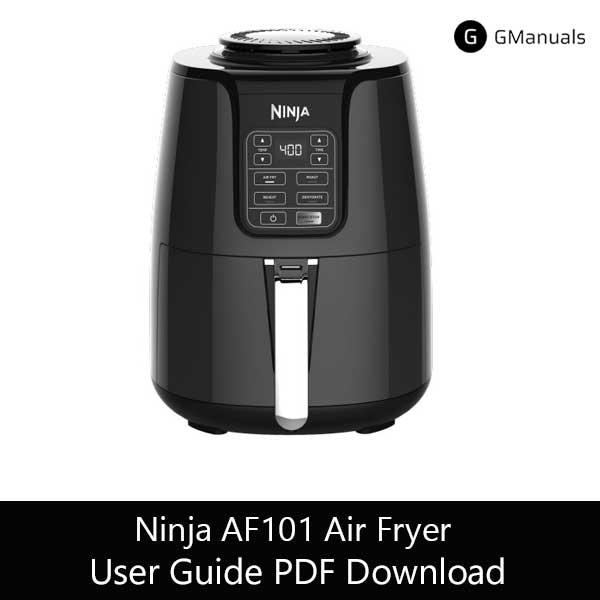
| Brand | Ninja |
| Model | AF101 |
| Category |
Air Fryer |
| File Size | 14.7 Mb |
| Pages | 44 Pages |
| Language | English, Francais, Espanol |
| 292 views | |
Includes cooking guide, troubleshooting, safety tips
Disclaimer: This site is not affiliated with SharkNinja Operating LLC. Ninja is a trademark of SharkNinja.