The Roomba 694 is a powerful entry-level robot vacuum cleaner that keeps your floors clean with minimal effort. However, many users struggle with the initial setup, scheduling cleanings, and troubleshooting common issues. This guide simplifies everything—even if you've never owned a robot vacuum before.
Quick Setup
- Remove the robot and Home Base from the packaging.
- Place the Home Base on a level floor, leaving about 1.5 ft clearance on each side and 4 ft in front.
- Plug the Home Base into an outlet and ensure the indicator light comes on.
- Set Roomba onto the Home Base to activate charging. Allow at least 3 hours for a full charge before first use.
- Press CLEAN to begin a cleaning cycle.
Tip: Keep the area clear of clutter like cords, toys, or clothing before starting a cleaning cycle.
How to Set Up Your Roomba 694 (First-Time Setup)
- Remove all protective packaging and pull the yellow battery tab.
- Place the Home Base on a flat surface with open space around it (at least 1.5 feet each side).
- Plug the charger into the wall and dock the Roomba. Let it fully charge (about 3 hours).
- Download the iRobot Home app and follow the pairing process via Wi-Fi.
- Press “CLEAN” to start your first run manually or via the app.
Basic Controls & Cleaning Modes
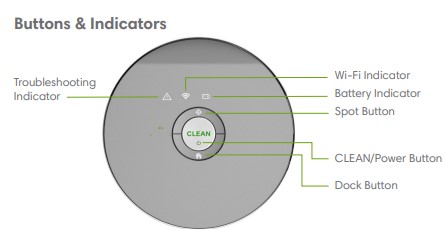
- CLEAN button: Start, pause, or resume cleaning.
- Dock button: Send the robot back to its charging station.
- Spot Clean: Roomba will spiral in a focused area for concentrated cleaning.
How to Schedule Cleanings
Scheduling cleanings lets your Roomba work even when you’re not home. Here’s how:
Via the iRobot Home App:
- Open the app and select your Roomba 694.
- Tap on "Schedule".
- Set days and times for automatic cleaning.
- Save the schedule. Roomba will run even if your phone is off.
No App? Manual Scheduling (Limited Models)
If your Roomba doesn’t support Wi-Fi (rare for 694), you can use the onboard buttons:
- Press and hold "CLEAN" until you hear a beep.
- Use DAY, HOUR, and MINUTE buttons to set time.
- Press "CLEAN" again to confirm.
Wi-Fi Setup & App Control
The Roomba 694 connects to the iRobot Home App for scheduling and remote control.
- Download the iRobot Home app from the App Store or Google Play.
- Create or log in to your iRobot account.
- Select “Add Robot” and choose Roomba 694.
- Ensure your phone is on a 2.4 GHz Wi-Fi network.
- Follow the in-app steps to connect the robot to Wi-Fi.
Filter & Brush Maintenance
Filter replacement
- Replace every 2 months under normal use.
- Press the bin release, pull out the filter, and insert a new one.
Brush cleaning
- Remove the brush guard and clean debris from the main brushes weekly.
- Check side brushes for hair wrap and replace if bent or worn.
Resetting Indicator Lights
If your Roomba shows a flashing or solid red light after filter replacement, reset it:
- Hold the CLEAN button for 10 seconds until you hear a tone.
- Release the button; the light should turn off and reset.
If the indicator does not reset, confirm the filter or bin is seated properly.
How to Reset Roomba 694
Resetting can fix connection issues, cleaning errors, or strange behavior.
Soft Reset (without erasing schedules):
- Press and hold both “Home” and “Spot Clean” for 10 seconds.
- Release when the light ring spins clockwise.
- Wait for reboot (about 1 minute).
Factory Reset (wipe all settings):
- Open the iRobot Home app
- Select your Roomba 694 > Settings
- Tap “Remove/Reset Device”
- Reconnect via Wi-Fi if needed
View Google Nest Thermostat 4th Gen Manual Download
Care & Cleaning
- Empty the dust bin after every use.
- Wipe sensors and charging contacts weekly with a clean, dry cloth.
- Clean brushes weekly and replace filters bi-monthly.
Troubleshooting Common Problem and Fixes
| Error | Cause | Solution |
|---|---|---|
| Error 1 | Roomba stuck or wheel trapped | Move Roomba to flat, clear space |
| Error 5 | Brushes clogged or jammed | Remove and clean brushes (check for hair buildup) |
| Not returning to base | Base too hidden or dark | Relocate to an open, well-lit spot |
| No Wi-Fi | Weak signal or old router | Move base closer to router or reset Wi-Fi via app |
- Robot won’t charge: Ensure contacts are clean and the Home Base is plugged in.
- Wi-Fi connection fails: Verify you’re on a 2.4 GHz network and retry setup.
- Roomba stops mid-cycle: Check for tangled brushes or full dust bin.
- Unusual noise: Inspect brushes and wheels for debris.
Quick Tips for Better Cleaning
- Empty the bin after every 1–2 runs.
- Clean the main brush weekly, especially with pets.
- Use virtual walls or magnetic strips to block unwanted areas.
- Charge Roomba fully before a deep clean session.
Download the iRobot Home App
The app gives you real-time status, notifications, and map tracking. It's available for both:
Download iRobot Roomba 694 Manual
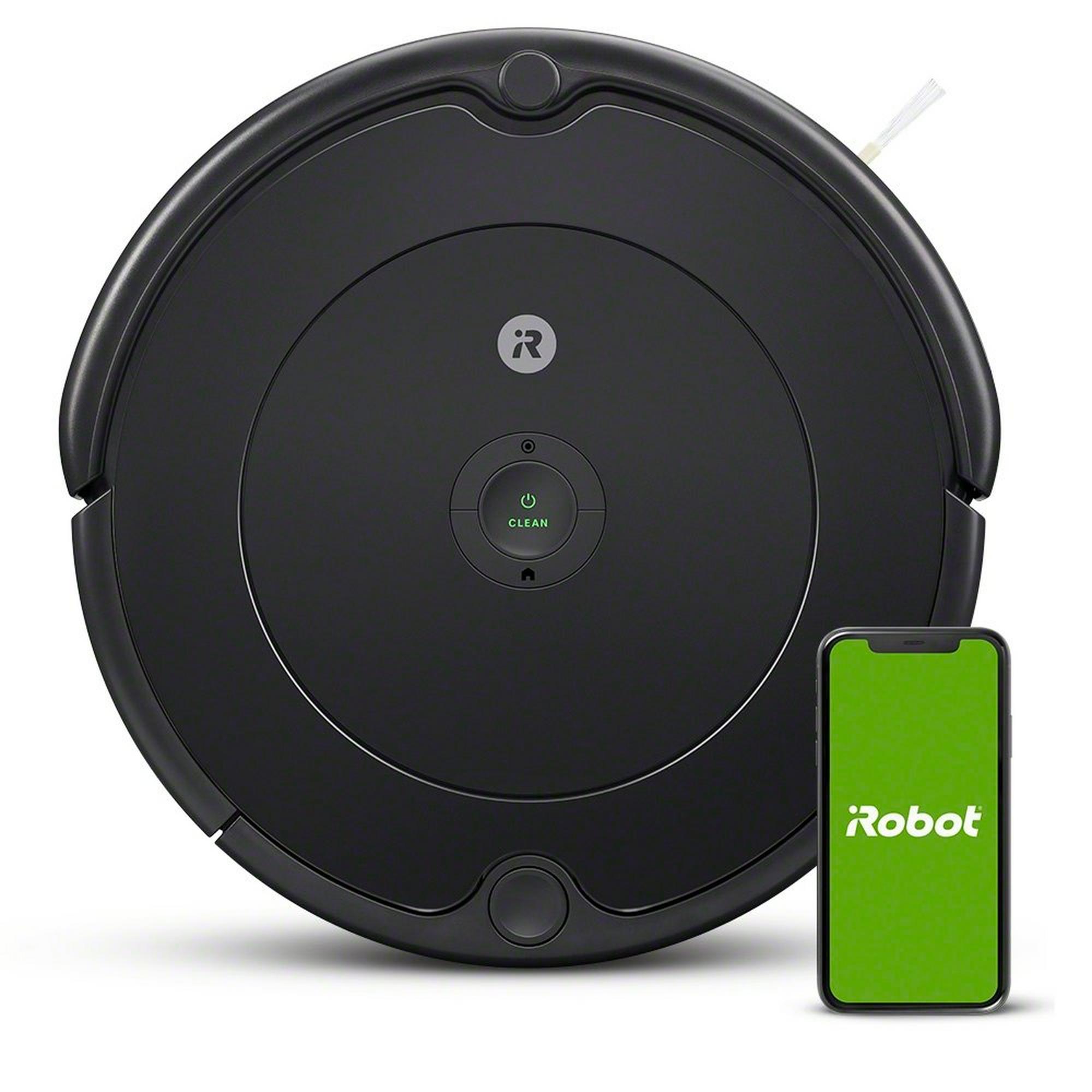
| Brand | iRobot |
| Model | 614, 615, 694 |
| Category |
Vacuum Cleaner |
| File Size | 2.3 MB |
| Pages | 13 Pages |
| Language | English |
| 688 views | |
Frequently Asked Questions
How do I reset the Roomba 694?
Hold the CLEAN button for 10 seconds until you hear a tone. Release, and the robot will restart.
How often should I replace the filter?
Replace every 2 months, or sooner if you have pets or allergies.
Why won’t my Roomba connect to Wi-Fi?
Make sure your phone is on a 2.4 GHz Wi-Fi network and that Bluetooth is enabled for setup.
Can I wash the filter?
No. Roomba filters are not washable. Tap them clean between replacements, but never rinse with water.
Disclaimer: This site is not affiliated with iRobot. Roomba is a trademark of iRobot Corporation.
Asking questions are really fastidious thing
if you are not understanding something entirely, except this paragraph offers pleasant understanding
yet.
hello there and thank you for your info – I have definitely picked up something
new from right here. I did however expertise several technical issues
using this site, since I experienced to reload the website lots of times previous to I could get it to load
correctly. I had been wondering if your hosting is OK? Not that I am
complaining, but sluggish loading instances times will very frequently affect your placement in google and could damage your
high-quality score if advertising and marketing with Adwords.
Anyway I'm adding this RSS to my e-mail and can look out for a lot more of your
respective intriguing content. Make sure you update this again very soon.
Very good article. I will be dealing with some of these issues as well..
It is in reality a great and helpful piece of info.
I'm satisfied that you simply shared this helpful information with
us. Please stay us informed like this. Thank you for
sharing.
Fantastic beat ! I wish to apprentice at the same time as you amend your web site, how could i subscribe
for a blog site? The account aided me a applicable deal.
I have been tiny bit acquainted of this your broadcast
offered shiny transparent idea