Introduction
Welcome to the comprehensive Bissell Air320 Air Purifier User Manual and Guide. In today's fast-paced world, maintaining the quality of indoor air is essential for our well-being. The Air320 has been meticulously designed to help you achieve a healthier living environment by significantly improving the air you breathe.
This guide will not only walk you through the setup and operation of your Bissell Air320 Air Purifier but will also delve into the benefits it offers and the maintenance practices required to keep it operating at peak efficiency.
Why Choose the Bissell Air320?
The Bissell Air320 Air Purifier stands out for its advanced features and technology that contribute to superior air quality:
- HEPA Filtration: The included HEPA filter is engineered to capture up to 99.97% of particles as small as 0.3 microns, including dust, pollen, pet dander, and smoke.
- Aesthetic Design: The sleek and modern design of the Air320 complements any interior, making it an attractive addition to your home or office.
- Three Fan Speeds: Choose from Low, Medium, or High fan speeds to customize the air purification process according to your needs.
- Timer Function: The built-in timer allows you to set the purifier to run for specific periods, optimizing energy efficiency.
Setup and Installation
Setting up your Bissell Air320 Air Purifier is a breeze:
1. Find a suitable location with adequate airflow. Placing it centrally in the room enhances its effectiveness.
2. Remove the purifier from its packaging and ensure all protective materials are discarded.
3. Gently insert the HEPA filter into its designated slot, ensuring a secure fit.
4. Plug in the power cord and power on the unit using the intuitive control panel.
With these simple steps, your Air320 is ready to begin improving your indoor air quality.
Operation Instructions
The user-friendly control panel of the Bissell Air320 Air Purifier makes operation a breeze:
- Power Button: Use this button to turn the purifier on or off.
- Fan Speed: Choose from Low, Medium, or High based on your air purification needs.
- Timer: Set the purifier to run for 2, 4, or 8 hours, providing automated operation.
Leaving the purifier on for extended periods ensures that your air remains fresh and pure.
Operating Modes
The Air320 features various operating modes to adapt to different scenarios:
- General Mode: Ideal for daily air purification and maintenance of indoor air quality.
- Sleep Mode: Quiets the operation for nighttime use, ensuring peaceful sleep without interruption.
- Turbo Mode: Provides rapid purification when dealing with strong odors or high levels of pollutants.
- Auto Mode: Allows the purifier to adjust its fan speed based on real-time air quality measurements.
Choosing the appropriate mode enhances the efficiency and performance of your air purifier.
Maintenance and Care
Proper maintenance is essential to maximize the longevity and efficiency of your Bissell Air320 Air Purifier:
- Filter Replacement: Replace the HEPA filter every 6-8 months or as indicated by the filter replacement indicator. A clean filter ensures optimal air purification.
- Exterior Cleaning: Wipe the purifier's exterior with a damp cloth regularly to prevent dust buildup.
- Air Quality Sensor: Periodically clean the air quality sensor with a soft brush to maintain accurate readings.
For comprehensive filter replacement guidelines, refer to the user manual bellow. Bissell Air220 User Guide.
Frequently Asked Questions
Here are answers to some common questions about the Bissell Air320 Air Purifier:
Q: Can I use the purifier in a large room?
A: Yes, the Air320 is designed to effectively purify air in rooms of various sizes.
Q: How often should I replace the filter?
A: Filter replacement every 6-8 months is recommended, though this can vary based on usage and air quality.
Q: Can the purifier help with allergies?
A: Absolutely, the HEPA filter captures allergens like pollen and pet dander, contributing to allergy relief.
Download Bissell Air320 Air Purifier User Manual
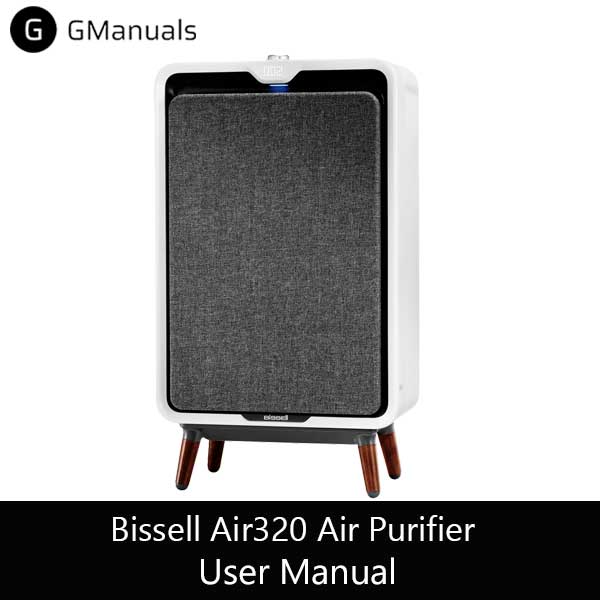
| Brand | Bissell |
| Model | Air320 |
| Category |
Air Purifier |
| File Size | 1.39 Mb |
| Pages | 12 pages |
| Language | English |
| 397 views | |
Conclussion
In this blog post, we have provided you with a comprehensive user guide for the Bissell air320 air purifier, based on the official user manual that you can download here. We have also shared some tips and tricks on how to get the most out of your air purifier. If you want to read another product, you can go to air purifier manual.
For any further questions or assistance you can leave comment bellow, or please contact Bissell Customer Support. If you need Version Air220, you can go to Bissell Air220 User Guide.